From Supplier Invoice to ERP: Where Manual Processing Slows Businesses Down
Discover where manual supplier invoice processing slows businesses down and how AI automation, invoice validation, and ERP integration can improve efficiency.
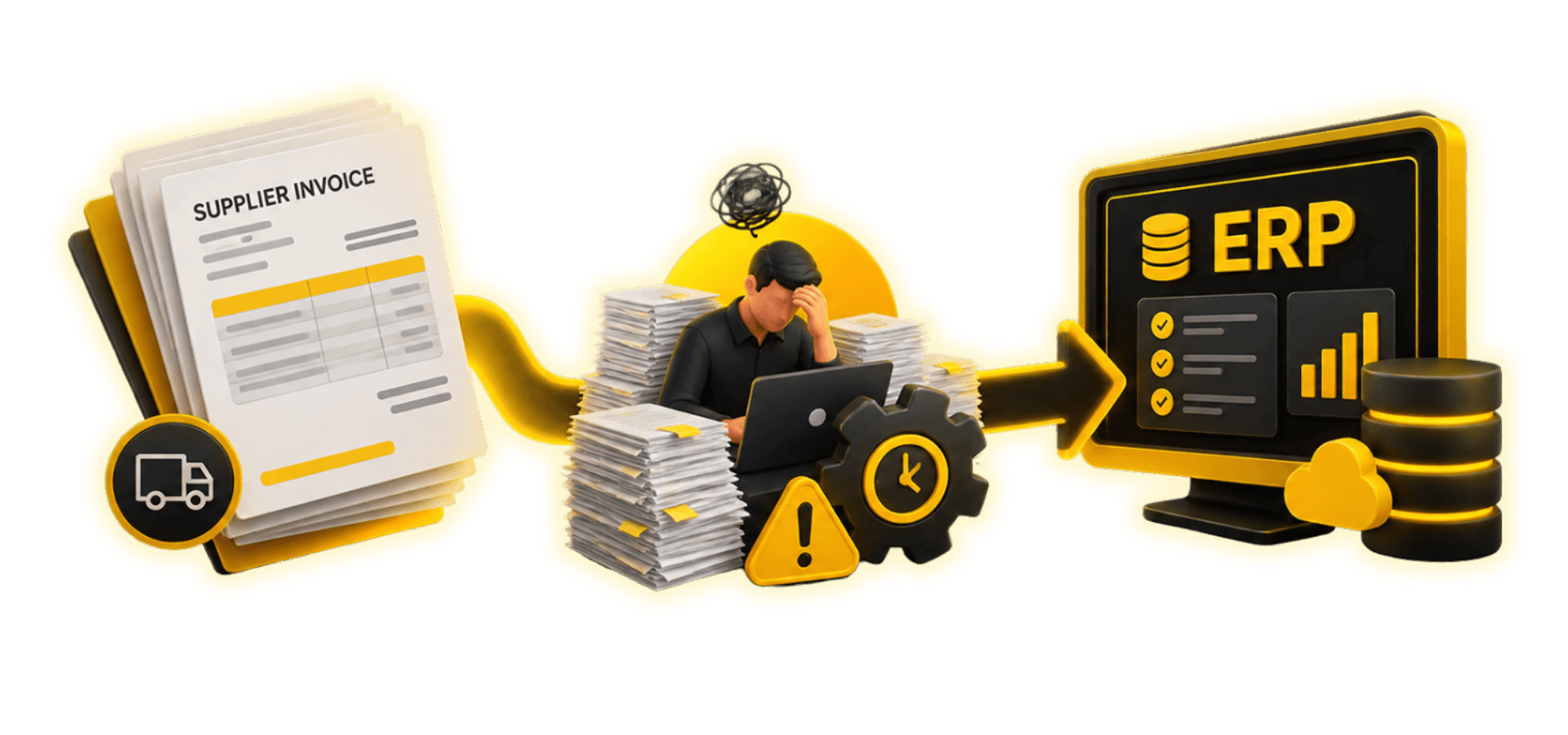

Why Is Manual Invoice Processing Slow?
Every supplier invoice tells part of a business story. It records what was purchased, how much it costs, who supplied it, and when payment is expected. But getting that information from a supplier's document into an Enterprise Resource Planning (ERP) system can involve more work than many businesses realize.
A supplier may send an invoice within seconds. However, the finance team might spend hours or even days checking details, matching purchase orders, requesting approvals, and entering information into different systems.
For businesses handling hundreds or thousands of invoices, these small delays can become significant operational challenges.
Manual invoice processing is not simply about typing information into accounting software. It involves coordinating purchasing teams, finance departments, suppliers, and business systems. When these activities are disconnected, businesses may experience payment delays, duplicate entries, inaccurate financial records, and limited visibility into outstanding invoices.
The challenge becomes greater as businesses expand, introduce new suppliers, or operate across multiple locations.
Fortunately, technologies such as AI-powered invoice processing, AI-powered document processing, workflow automation, and ERP integration can help businesses reduce repetitive work and improve invoice management.
Understanding where manual processing creates delays is the first step toward developing a more efficient approach.
What Is Supplier Invoice Processing?
Supplier invoice processing is the process of receiving, verifying, approving, and recording invoices submitted by suppliers for products or services.
It is an important part of accounts payable management because businesses must confirm that invoice information is accurate before making payments.
A supplier invoice typically contains details such as:
Supplier name and contact information.
Invoice number and date.
Purchase order reference.
Product or service descriptions.
Quantities and unit prices.
Taxes, discounts, and total amounts.
Payment terms and due dates.
Finance teams use this information to verify transactions and maintain accurate accounting records.
For example, a retail company may purchase inventory from several suppliers. Each supplier sends an invoice containing different product descriptions, quantities, and pricing information.
Before recording these invoices, the company must confirm that the billed items match its purchasing records and, where applicable, the goods received.
If the information is correct, the invoice can move toward approval and payment. If discrepancies appear, employees must investigate them.
Although the process sounds straightforward, manual handling can make it complicated, particularly when invoices arrive in different formats.
How Does Manual Invoice Processing Work?

Manual invoice processing involves several activities that depend on employees reviewing documents, transferring information, and communicating with other departments.
The process generally follows these stages.
1. Invoice receipt
Suppliers send invoices through email, paper documents, online portals, or shared folders.
2. Data collection
Employees identify important information such as supplier details, invoice numbers, amounts, and purchase order references.
3. Invoice verification
The finance team checks whether the invoice contains the required information and whether the supplier details are correct.
4. Purchase order matching
Where applicable, invoice information is compared with purchase orders and goods of receipt records.
5. Approval
Invoices are forwarded to the employees or departments responsible for authorizing payment.
6. ERP entry
Approved invoice information is entered into the company's ERP or accounting system.
7. Payment processing
The business schedules payment according to the approved invoice and applicable payment terms.
Each stage can involve separate documents, systems, and employees.
When information is missing or approvals are delayed, invoices may remain pending.
The process becomes especially challenging when businesses rely on spreadsheets and emails rather than centralized invoice management systems.
Why Is Manual Invoice Processing Slow?
Manual invoice processing often takes longer because employees must repeatedly collect, review, and transfer information.
Different suppliers use different invoice layouts. Some send digitally generated PDFs, while others provide scanned documents or spreadsheet files.
Employees must locate the relevant information within each document.
For example, one supplier may display the purchase order number at the top of the invoice, while another places it near the bottom.
Although this difference seems minor, it can make consistent manual processing more difficult.
Another challenge is repeated verification.
Finance employees may need to compare invoice information with purchase records, delivery confirmations, supplier details, and approval requirements.
If these records are stored in different applications, employees must switch between systems to complete the checks.
Communication delays also affect processing speed.
An invoice requiring clarification may remain pending until the supplier or purchasing department responds.
Without automated tracking, employees may have difficulty identifying which invoices need attention.
These challenges become more noticeable as invoice volumes increase, making manual workflows harder to manage efficiently.
Where Do Invoice Processing Delays Happen?
Invoice processing delays can occur at several points between receiving a supplier document and recording the transaction in an ERP system.
Understanding these problem areas helps businesses identify opportunities for improvement.
Manual Data Entry
Data entry is one of the most repetitive activities of invoice management.
Employees must transfer invoice numbers, supplier names, dates, amounts, and other details into accounting software.
When invoices contain many line items, entering information becomes more time-consuming.
Even a small typing mistake can create additional work.
For example, an incorrect invoice number may make it difficult to identify duplicate records, while an incorrect amount may affect payment preparation.
Invoice Verification
Businesses must verify invoices before approving payment.
Employees may need to check supplier details, tax information, purchase order references, and supporting documents.
When verification depends entirely on manual reviews, processing speed can vary according to employee workload and invoice complexity.
Purchase Order Matching
Purchase order matching helps businesses confirm that supplier invoices correspond to authorized purchases.
A mismatch may occur when the billed quantity differs from the received quantity or when invoice prices do not match agreed purchasing terms.
Employees must investigate these differences before moving forward.
Approval Delays
Invoices often require authorization from department managers or purchasing teams.
If approval requests are handled through emails, employees may need to send reminders and follow up manually.
ERP Data Entry
Even after an invoice is approved, its information may need to be entered into the ERP system.
When invoice data cannot move directly between applications, employees may repeat work already completed during earlier stages.
These delays demonstrate why businesses need better coordination between documents, workflows, and enterprise systems.
What Are Common in Voice Processing Errors?
Manual invoice processing can introduce errors that affect accounting accuracy and business operations.
One common problem is incorrect data entry.
Employees may enter an incorrect invoice amount, supplier reference, date, or purchase order number.
Another challenge is duplicate invoices.
A supplier may resend an invoice when payment confirmation is delayed. If the business does not recognize that the document has already been recorded, the same invoice may enter the approval process again.
Missing information can also create difficulties.
Invoices without required references or supporting documents may require additional communication before processing can continue.
Other common issues include:
Incorrect supplier details.
Differences between invoice and purchase order amounts.
Missing delivery confirmations.
Incorrect tax information.
Inconsistent product descriptions.
Approval requests are sent to the wrong person.
Invoices are recorded in the wrong accounting period.
These errors may lead to payment delays, reconciliation problems, and additional administrative work.
Businesses can reduce such risks through standardized invoice requirements, validation controls, and better visibility into processing status.
How Does Purchase Order Matching Work?

Purchase order matching is an important control in supplier invoice management.
It helps businesses verify that invoices correspond to authorized purchases and, when relevant, actual deliveries.
In two-way matching, the invoice is compared with the purchase order.
The business checks whether important details, such as supplier information, quantities, and prices, are consistent.
In three-way matching, the invoice is compared with both the purchase order and the goods receipt record.
This additional verification helps confirm that the billed goods were received.
Consider a manufacturer that orders replacement components for its production equipment.
The purchasing department creates a purchase order, and the supplier delivers the components.
When the invoice arrives, the finance team must verify the billed quantity and amount against the purchasing and receiving records.
If the supplier invoices more components than were received, the discrepancy must be investigated.
Manual matching can be time-consuming when employees must locate records across different systems.
three-way invoice matching can help identify consistent information and highlight discrepancies requiring human review.
However, businesses must establish appropriate matching rules and approval controls to maintain accuracy.
Why Do Invoice Approvals Get Delayed?

Invoice approval delays often occur because responsibility is unclear or communication is disconnected.
A finance employee may receive an invoice that requires approval from a purchasing manager.
The employee forwards the document through email and waits for a response.
If the manager is unavailable or the message is overlooked, the invoice may remain pending.
Additional delays occur when an invoice requires approval from multiple departments.
For example, an invoice for equipment maintenance may need confirmation from the maintenance department before finance can process it.
Without a structured workflow, employees may not know who currently holds the invoice or what action is required.
Approval delays can also occur when supporting documents are missing, or invoice amounts exceed predefined authorization limits.
Businesses can improve this process by establishing clear approval responsibilities and using centralized systems that show invoice status.
Automated notifications and approval of routing can help employees respond more efficiently.
An effective approval process should balance processing speed with appropriate financial controls.
What Is ERP Invoice Processing?
ERP invoice processing involves recording and managing supplier invoices within an Enterprise Resource Planning system.
ERP platforms often connect purchasing, inventory, finance, and accounting information.
This allows businesses to maintain more consistent records across departments.
For example, a company may create a purchase order through its ERP purchasing module.
When goods are received, the relevant information received may also be recorded.
The finance team can then use these records when verifying the supplier's invoice.
Once the invoice is approved, the transaction can be recorded in accounts payable.
However, having an ERP system does not automatically mean invoice processing is fully automated.
Businesses may still rely on manual document collection, data entry, verification, and approval.
The level of automation depends on the ERP configuration, available integrations, invoice formats, and existing business workflows.
When these activities remain disconnected, employees may continue spending significant time transferring information between systems.
Why Is ERP Integration Important?
ERP integration helps connect invoice information with the systems used for purchasing, inventory, accounting, and financial management.
Without integration, employees may need to enter the same information into several applications.
For example, supplier details may already exist in a purchasing system, but finance employees might need to re-enter them when recording invoices.
This duplication increases workload and creates opportunities for inconsistencies.
An integrated invoice processing workflow can help information move between applications more consistently.
Relevant invoice details can be checked against existing purchase orders, supplier records, and receiving information.
Approved transactions can then be transferred into the appropriate ERP workflow, subject to business rules and controls.
ERP integration can support:
Reduced duplicate data entry.
More consistent financial information.
Improved purchase order verification.
Better coordination between departments.
Clearer invoice processing status.
More reliable financial reporting.
Successful integration requires careful attention to data formats, system compatibility, security, and validation requirements.
Businesses should also ensure that exceptions and failed transactions are visible to employees for investigation.
How Can AI Automate Invoice Processing?
AI-powered invoice processing can help businesses automate several repetitive activities involved in supplier invoice management.
AI-powered invoice processing systems can analyze invoice documents and extract important information.
For example, a system may identify the supplier's name, invoice date, purchase order reference, line-item descriptions, and total amount.
AI-powered document processing technologies can convert information from PDFs, scanned documents, and other supported formats into structured records.
AI can also help recognize differences between invoice layouts.
This is particularly useful when businesses receive documents from many suppliers using different templates.
After information is extracted, automated validation rules can check whether required fields are present and whether values meet business requirements.
The system may also compare invoice information with existing purchase orders and supplier records.
Potential duplicates or mismatches can be flagged for review.
Instead of manually processing every invoice field, employees can focus on exceptions that require investigation.
However, AI systems are not always accurate.
Poor-quality scans, unusual invoice formats, inconsistent supplier data, and complex transactions can affect extraction results.
Businesses should use appropriate validation, approval controls, and human oversight before financial records are finalized.
What Is Automated Invoice Data Extraction?
Automated invoice data extraction is the process of identifying and capturing information from invoice documents without requiring employees to type every field manually.
The technology may combine optical character recognition, document analysis, and artificial intelligence.
Optical character recognition converts visible document text into machine-readable information.
AI-based document understanding can then help identify what that information represents.
For example, a system may distinguish an invoice number from a purchase order number, even when the two appear to close together.
It may also identify supplier addresses, payment terms, and line-item information.
The extracted data can be organized into a structured format for validation and further processing.
This reduces the need for employees to repeatedly copy information from documents.
However, extraction accuracy depends on document quality, language, layout, and system capabilities.
Businesses should establish checks for incomplete or uncertain information.
Automated extraction is most useful when it forms part of a broader workflow that includes verification, approvals, and ERP integration.
How Does Invoice Automation Reduce Errors?
Invoice automation can reduce certain manual errors by applying consistent validation rules and limiting repeated data entry.
For example, an automated system can check whether an invoice contains required fields before allowing it to proceed.
It may compare the supplier's reference against approved supplier records or identify invoice numbers that have already been processed.
three-way invoice matching can also highlight differences between invoice amounts and purchase order information.
These controls help employees identify problems earlier in the workflow.
Another benefit is consistency.
Manual processing methods may vary between employees, while automated workflows can apply predefined business rules across invoices.
However, automation does not eliminate every error.
Incorrect source documents, unreliable reference data, or poorly configured validation rules can still produce inaccurate results.
Businesses should regularly review exceptions and evaluate system performance.
A well-designed process combines automated checks with human judgment, especially for unusual transactions and financial approvals.
What Are the Benefits of Invoice Automation?
Invoice automation can improve several aspects of business operations when implemented effectively.
Faster Invoice Handling
Automated data extraction and validation can reduce repetitive processing activities.
Employees may spend less time entering information and more time resolving important exceptions.
Better Invoice Accuracy
Consistent checks can help identify missing fields, duplicate records, and discrepancies before transactions are finalized.
Improved Payment Planning
When invoices move through approval of workflows more efficiently, finance teams can maintain better visibility into upcoming payment obligations.
Easier Invoice Tracking
Centralized processing makes it easier to identify whether an invoice has been received, verified, approved, or recorded.
Reduced Administrative Work
Automation can reduce repetitive tasks involving document handling, data entry, and follow-up communication.
Stronger Financial Visibility
Timely and consistent invoice records can support reconciliation, expense monitoring, and reporting.
Better Supplier Relationships
Clearer invoice status and more predictable processing can help businesses communicate with suppliers and reduce avoidable payment delays.
These benefits vary according to invoice volume, existing processes, technology costs, and implementation of quality.
Businesses should evaluate results using their actual operational requirements.
How Can Businesses Improve Accounts Payable?
Improving accounts payable begins with understanding how invoices currently move through the organization.
Businesses should review their existing workflows and identify activities that require unnecessary manual effort.
The priority is often standardizing invoice requirements.
Suppliers should receive clear guidance about required information, including purchase order references and supporting documents.
The next step is improving invoice visibility.
A centralized invoice management process can help finance teams track documents and identify pending actions.
Businesses should also establish clear approval responsibilities.
Employees need to understand which invoices require authorization and who is responsible for responding.
Automated document capture can then reduce manual data entry.
Connecting invoice processing with ERP systems can help improve information consistency.
Organizations should also monitor common problems such as duplicate invoices, frequent mismatches, and delayed approvals.
Regular reviews help identify whether workflow changes are producing meaningful improvements.
The objective is not simply to process invoices faster. It is to create a reliable, transparent, and controlled accounts payable process.
How to Start Invoice Automation?
Businesses can introduce invoice automation gradually rather than replacing every existing process at once.
Step 1: Review the current workflow
Identify how invoices arrive, where information is entered manually, and which activities create delays.
Step 2: Identify repetitive tasks
Focus on processes such as invoice data extraction, document classification, validation, and approval notifications.
Step 3: Check existing ERP capabilities
Understand what the current ERP system supports and whether additional integrations are required.
Step 4: Define business rules
Establish clear requirements for invoice validation, purchase order matching, approval routing, and exception handling.
Step 5: Select suitable technology
Evaluate AI-powered document processing, AI, workflow automation, and integration capabilities according to business needs.
Step 6: Test with a limited invoice group
A pilot project can help teams assess extraction accuracy, exception rates, and workflow usability.
Step 7: Measure and improve
Monitor processing time, manual effort, error rates, and approval delays before expanding automation.
A gradual implementation can help businesses improve invoice processing while maintaining appropriate financial controls.
How Approlabs Supports Invoice Automation

Businesses often need invoice processing solutions that connect with their existing software, purchasing processes, and ERP environments.
Approlabs provides capabilities in artificial intelligence, custom software development, enterprise applications, workflow automation, and ERP system integration.
These capabilities can support organizations exploring more efficient supplier invoice management.
Depending on business requirements, an invoice automation project may involve extracting information from supplier documents, validating invoice records, creating structured approval workflows, and integrating data with ERP systems.
Businesses may also require dashboards that help finance teams monitor pending invoices, exceptions, and processing activity.
The right solution depends on existing infrastructure, invoice complexity, and the level of automation required.
Approlabs can help businesses explore software solutions designed around their operational workflows rather than relying entirely on disconnected manual activities.
By connecting AI-powered document processing, business rules, and enterprise systems, organizations can work toward more consistent and efficient financial operations.
Conclusion
The journey from supplier invoice to ERP involves more than transferring information between documents and software.
It includes verification, purchase order matching, approval of coordination, financial controls, and accurate recordkeeping.
When these activities depend heavily on manual work, businesses may experience delays, errors, duplicate entries, and limited visibility into invoice status.
AI-powered invoice processing and workflow automation can help reduce repetitive tasks and improve information consistency.
ERP integration can further support coordination between purchasing, inventory, and finance systems.
However, successful automation requires reliable data, appropriate controls, and careful implementation.
For businesses seeking more efficient financial operations, improving the supplier's invoice workflow is a practical step toward reducing administrative work and supporting better decision-making.
Ready to Move Beyond Manual Invoice Processing?
Connect with Approlabs to explore AI-powered invoice automation, workflow development, and ERP integration solutions for your business.

AUTHOR

Marketing team.